Skip to Content
Planning Your Exit from Microsoft Project Online Before September 2026 /

Planning Your Exit from Microsoft Project Online Before September 2026

Microsoft has confirmed that Microsoft Project Online will be retired in September 2026, meaning organisations currently relying on it must plan their transition.  


While some organisations assume this is simply a matter of replacing one project management tool with another, the reality is more complex.

employee-office-and-mobile-with-design-abstract


Over the years, Project Online has become a central operational system for many PMOs, supporting scheduling, governance, resource management, financial oversight, collaboration, and integration with other enterprise systems.

Because of this, the right migration strategy depends heavily on how your organisation actually uses Project Online today.  

Understanding How Organisations Use Project Online 

Before selecting a replacement platform, organisations should perform a structured assessment of how Project Online is currently used.

  In most environments, usage falls into several functional categories.   

 

serious-colleagues-working-on-business-project


1. Project Schedule Management


a. Task & Milestone Tracking Only

Some organisations use Project Online primarily as a central repository for schedules where project managers publish their plans for visibility.

Typical characteristics include:
-  Tasks and milestones only,
-  Limited dependency management,
-  No resource assignments,
-  No cost tracking, and
-  Reporting focused mainly on schedule status. 

Possible alternatives include Microsoft Planner Premium (Project for the web), Smartsheet, Monday.com, Jira, and dedicated PPM platforms such as pmo365.

Many organisations will continue using Microsoft Project Desktop for detailed scheduling while publishing summary schedules to another system. 


b.  Scheduling with Resource Assignments

A more advanced use case involves assigning resources to tasks and tracking effort against schedules.

Typical characteristics include:
-  Named resources assigned to tasks,
-  Effort based scheduling,
-  Resource calendars,
-  Resource utilisation reporting, and
-  Portfolio visibility of who is working on what. 

Possible alternatives include Microsoft Planner Premium with resource views, Smartsheet Resource Management, Jira Advanced Roadmaps, enterprise PPM solutions, and Power Platform based portfolio solutions. 


c.
Scheduling with Cost and Financial Tracking

In more mature environments, Project Online is used to manage financial aspects of project delivery.

Typical characteristics include:
-  Cost rates assigned to resources,
-  Budget tracking,
-  Cost forecasting,
-  Actual versus planned financial reporting, and
-  Integration with finance systems.

Possible alternatives include enterprise PPM platforms, ERP integrated project systems, and Power Platform based PPM solutions. 


two-professionals-collaborating-at-a-whiteboard-wi-2026-01-09-09-53-14-utc v2


2. Governance Workflows and Stage Gates

Another major use of Project Online is project governance and approval workflows. Many organisations configure approval processes based on project type or investment category.

Typical examples include:

-  Project initiation approvals,
-  Business case submission,
-  Stage gate approvals,
-  Steering committee reviews, and
-  Portfolio prioritisation workflows. 

Modern solutions typically support configurable workflows, role based approvals, automated notifications, and audit trails. 


3. Resource Demand and Capacity Management

Project Online is frequently used by PMOs to manage resource demand and organisational capacity.

Typical capabilities include:

-  Viewing resource allocation across projects,
-  Identifying over allocation,
-  Forecasting future demand,
-  Balancing workload across teams, and
-  Planning hiring or contractor needs.

 
4. Risks, Assumptions, Issues, Assumptions and Dependencies (RAID)  

Many Project Online environments include lists used to manage governance artefacts such as Risks, Issues, Assumptions and Dependencies.

These elements are essential for project governance, status reporting, and escalation management. 


5. Timesheet Management 

Some organisations rely heavily on Project Online timesheets to capture project effort for utilisation reporting, payroll integration, or client billing. 


6. Document Management (SharePoint Integration) 

Project Online integrates tightly with SharePoint Online which is used to store project documentation such as document libraries, version control, and collaboration assets.

Most organisations will continue using SharePoint Online after migration. 


7. Integration with Other Enterprise Systems 


  ERP Integration 

Many organisations integrate Project Online with ERP systems such as SAP, Oracle, TechnologyOne, or Dynamics 365 to support financial reporting, cost tracking, project accounting, and procurement data.   


Work Management Integration 

Project Online often operates alongside operational work management platforms such as Microsoft Planner, Jira, Monday.com, or ServiceNow.

In many organisations Project Online manages strategic initiatives while work management tools handle day to day execution.   

diverse-colleagues-working-in-office


Migration Strategies Organisations Are Considering 

 
1. Move to a Modern Microsoft Ecosystem 

Many organisations remain within the Microsoft ecosystem by combining Microsoft Project Desktop for scheduling, Microsoft Planner Premium for task management, Power Platform for workflows and automation, SharePoint for document management, and Power BI for reporting. 
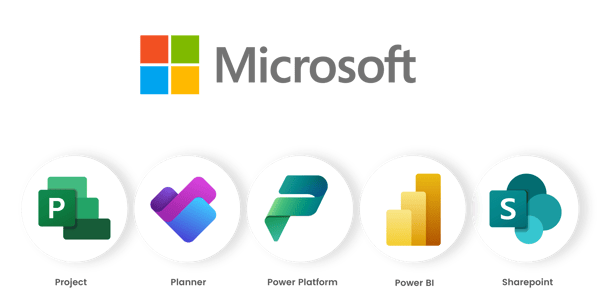
Microsoft Ecosystem


2. Adopt a Dedicated PPM Platform 

Another common approach is implementing a dedicated Project Portfolio Management solution designed specifically for PMOs. 
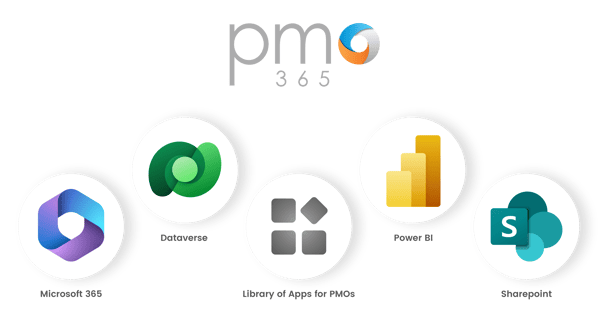
pmo365 Ecosystem

One example is pmo365, a Microsoft Power Platform based PPM solution that provides a library of specialised apps designed to support different PMO functions including project governance, portfolio planning, resource management, risk management, and project delivery.

Organisations can deploy the specific apps they need while remaining fully integrated with Microsoft 365, Dataverse, Power BI, and SharePoint


3. Hybrid Architecture 

Some organisations adopt a hybrid architecture combining scheduling tools, workflow platforms, ERP systems, and operational work management tools. This provides flexibility but requires strong integration architecture and governance. 


Final Thoughts 

The retirement of Microsoft Project Online represents an opportunity for organisations to rethink how project and portfolio management should operate in a modern digital environment.

By assessing how scheduling, governance, resource planning, financial tracking, and integrations are currently used, organisations can design a migration strategy that not only replaces Project Online but improves how projects are governed and delivered across the organisation.

IIR: Introduce, Integrate, Replace

Introduce Integrate Replace

Step 01

Introduce

You cannot run a portfolio on Excel and PowerPoint alone.

Project portfolio management is the discipline of seeing every project in one place, prioritising the work that matters, allocating people against demand, and governing delivery with real numbers. It is not optional at any serious scale. The moment you have more projects than one person can hold in their head, you need a single, current view of status, schedule, cost, resource and risk.

Excel and PowerPoint feel free because there is no licence conversation. The real cost is elsewhere. It is the hours spent maintaining workbooks, the version confusion, and the numbers that go stale the moment they are pasted.

A spreadsheet cannot tell you, on demand, which projects are at risk, where your people are over-committed next quarter, or how much of the portfolio budget is actually spent.

Introducing a proper PPM platform is the first step. Not to add another tool for its own sake, but to give the portfolio one place where the data lives together and stays live.

Step 02

Integrate

The instinct after buying a PPM platform is to make everyone move into it. That is the fastest way to fail. Project managers already have tools they trust, and finance already has systems of record. Force a migration on day one and you get resistance, shadow spreadsheets, and a dataset nobody believes.

Integrate first. Meet the data where it already is. Two directions matter.

Direction 01

Enterprise systems

Connect to the finance or ERP layer so actuals, commitments and budgets flow in automatically. Reporting stops being a monthly reconciliation and becomes a live view. Nobody rekeys a spend figure again.

Direction 02

The tools PMs already use

The direction most platforms neglect, and arguably the more important. The portfolio should read from the PM's own tools, not force people to abandon them.

The reason this matters is simple. That data is already there, and it is kept current by the person closest to it. When the portfolio reads directly from these sources, the status report updates itself. No chasing, no copy and paste, no reporting lag. The PM keeps working the way they always have, and the board gets a live picture as a side effect.

Step 03

Replace

Integration buys you two things: trust, and live data. Once both are in place, you look at what can go.

Every organisation carries tools and spreadsheets that either do not do the job well or carry a heavy maintenance overhead. The classic example is the resource spreadsheet. It is a workbook someone maintains by hand to track who is on what. It is always slightly out of date, owned by one person, and impossible to reconcile against real demand.

Replace it with the equivalent function in your PPM.

A proper demand management capability does what the spreadsheet was reaching for, with none of the overhead. It models demand against capacity across the whole portfolio, updates as projects shift, and needs no manual upkeep.

Replace deliberately, one function at a time, and only after the platform has earned it. The test is simple: if a spreadsheet is high overhead or low quality, and the platform does the same job natively, retire the spreadsheet.

The payoff

You stop producing reports and start reading them

Follow IIR and the nature of reporting changes. The status view is current because it is fed by the tools people already use and the systems that already hold the money. The overhead that used to consume the last week of every month disappears, because there is nothing to assemble.

That is the whole point of real-time reporting. Not a prettier deck, but a portfolio you can look at any day of the month and trust, at a fraction of the effort it takes today.

Built on Microsoft 365. Native ground for IIR.

pmo365 integrates with the tools your teams already run in, so the path from Introduce to Integrate to Replace is a natural progression rather than a rip and replace.